

If you use Google Maps everywhere in the United States, you may assume it will work the same way when you visit South Korea.
The short answer is: Google Maps works in Korea, but some of its most important navigation features are still limited.
You can use it to search for many hotels, restaurants, tourist attractions, and subway routes. However, it may not provide the same reliable walking and driving directions that American travelers are used to.
For getting around Korea, especially on foot, most locals use Naver Map or KakaoMap instead.
Why Is Google Maps Limited in South Korea?
For many years, South Korea restricted the export of detailed map data to overseas servers because of national security concerns. Since Google processes much of its mapping data outside Korea, it could not use the same high-resolution map information available to Korean map services.
This is why Google Maps has historically had difficulty providing complete walking and driving directions in Korea.
In February 2026, the Korean government conditionally approved Google’s request to export detailed map data. Google must still follow strict security requirements, including protecting information about military and other sensitive facilities.
This decision may eventually lead to better Google Maps navigation in Korea. However, government approval does not mean that every feature will become available immediately. Until the improvements are fully implemented, travelers should still keep a Korean map app on their phones.
What Can You Use Google Maps for in Korea?
Google Maps is not completely useless in Korea. It can still be helpful for:
- Finding major tourist attractions
- Looking up hotels and well-known restaurants
- Reading reviews written by international travelers
- Saving places before your trip
- Checking some subway and public transportation routes
- Sharing your location with friends or family
- Viewing photos of restaurants, cafés, and attractions
It can be particularly helpful during the planning stage because many Americans already have saved places connected to their Google accounts.
However, business information may not always be as complete or current as the information shown on Korean map apps. A restaurant’s hours, exact entrance, or current operating status may be more accurately listed on Naver Map or KakaoMap.
What Does Not Work Well?
The biggest problem is navigation.
Google Maps may not provide reliable turn-by-turn walking or driving directions in every part of Korea. You may see a destination on the map but have difficulty getting a detailed route to it.
Other possible limitations include:
- Missing or incomplete walking directions
- Limited driving navigation
- Outdated restaurant and business information
- Incorrect or slightly misplaced map pins
- Fewer listings for small local businesses
- Difficulty finding places by their English names
- Limited street-level imagery in some areas
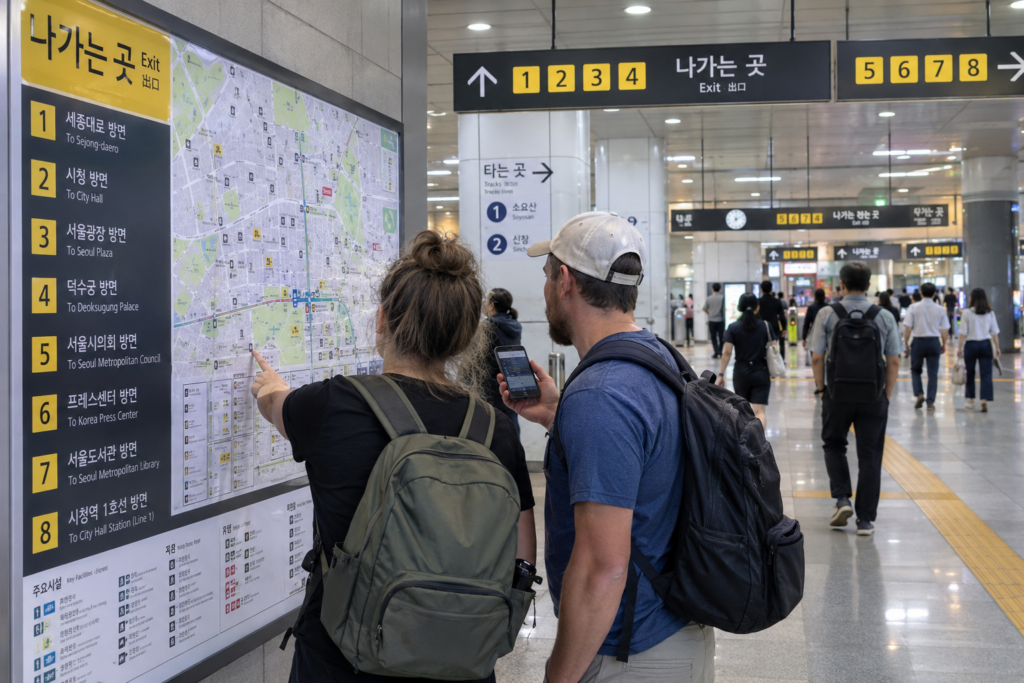
These issues can be especially frustrating in neighborhoods with narrow streets, underground shopping areas, large subway stations, or buildings with several entrances.
A location that appears close on the map may actually require you to cross through a subway station, use an underground passage, or enter the building from another street.
What Is the Best Map App for Tourists in Korea?
Naver Map
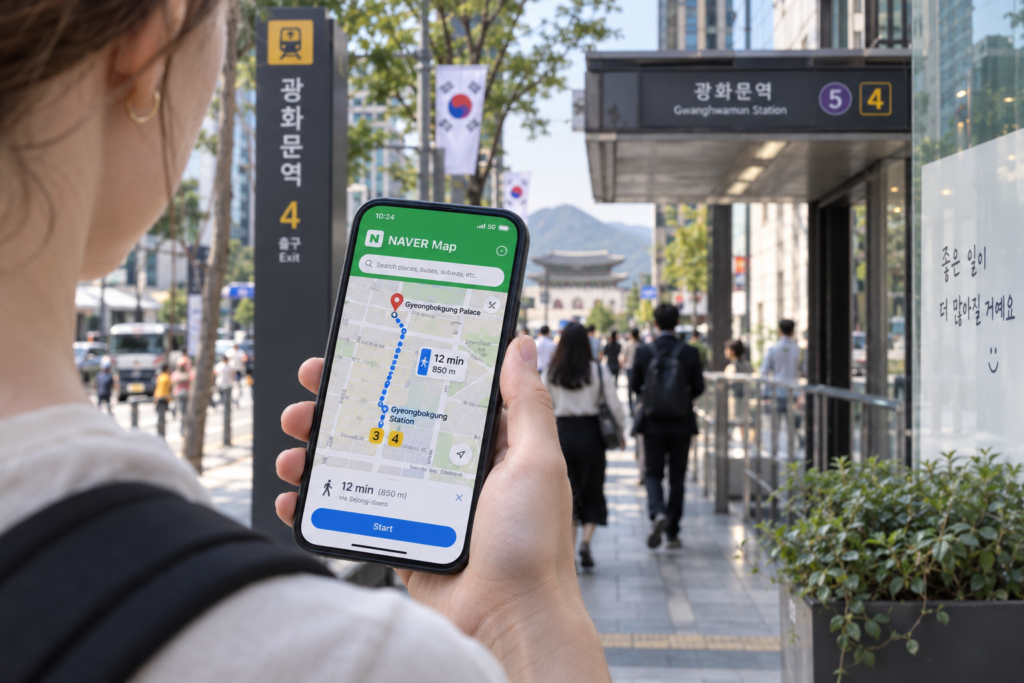
For most American travelers, Naver Map is the best primary navigation app in Korea.
It provides routes for:
- Walking
- Public transportation
- Driving
- Bicycling
Naver Map also provides Korean, English, Japanese, and Chinese map options, along with English navigation. You can usually use the basic search and navigation features without creating a Naver account.
To change the language to English:
- Open the Naver Map app.
- Tap MY, located beside the search bar.
- Tap the Settings gear icon.
- Select Language.
- Choose English.
On an iPhone, the app may direct you to the Naver Map language settings in your phone’s Settings app.
Even with the app set to English, not every restaurant or business name will be translated. This is particularly common with small local businesses.
KakaoMap
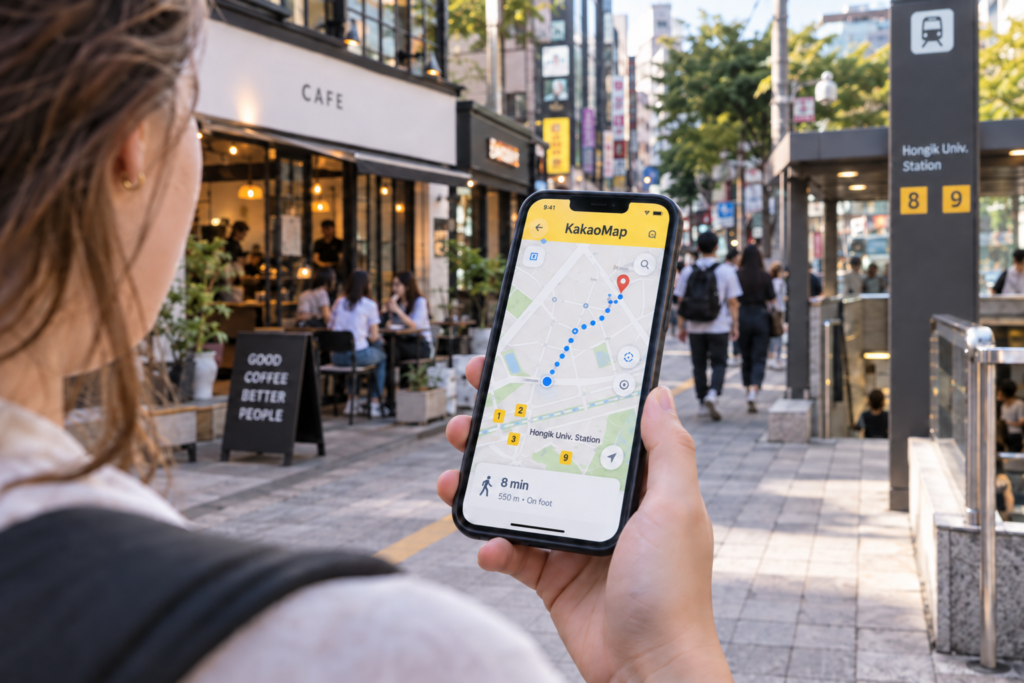
KakaoMap is another excellent option. It provides routes for public transportation, driving, walking, and bicycling, as well as information about restaurants and local attractions.
KakaoMap is widely used in Korea and can be useful when you want to compare a route or cannot find a place on Naver Map.
However, some American travelers may find Naver Map’s English interface a little easier to use. My recommendation is to use Naver Map as your main navigation app and keep KakaoMap as a backup.
How to Find a Place When the English Name Does Not Work
One of the most common problems for foreign travelers is searching for a Korean restaurant, café, hotel, or address in English.
The English name shown on Instagram, Google, or a travel blog may be different from the name registered on the Korean map.
If you cannot find a location, try the following:
- Find the Korean name or Korean address on the business’s official website, Instagram page, hotel confirmation, or travel listing.
- Copy the Korean text.
- Paste it into Naver Map or KakaoMap.
- Check the photos and address to make sure it is the correct location.
- Save the place before leaving your hotel or Wi-Fi connection.
For example, searching for a restaurant’s English nickname may not produce a result, while pasting its Korean business name may take you directly to the correct listing.
It is also helpful to save the Korean address as a screenshot. You can show it to a taxi driver or hotel employee if necessary.
Should You Download Naver Map Before Going to Korea?
Yes. Download and test Naver Map before your trip.
Search for your hotel, save a few attractions, and practice checking a subway or walking route. This will be much easier than trying to learn the app after arriving at a busy airport or train station.
I recommend installing these apps before leaving the United States:
- Google Maps for trip planning, saved places, and international reviews
- Naver Map for everyday navigation in Korea
- KakaoMap as a backup
- Papago for translating Korean names and addresses
- Kakao T for requesting taxis
You can find more useful apps in our Essential Apps You Need for a Trip to Korea guide.
Can You Rely Only on Google Maps in Seoul?
You may be able to use Google Maps for basic sightseeing and some public transportation information in Seoul. However, relying on it as your only map app is not recommended.
Seoul’s subway system is extensive, and many stations have numerous exits. Choosing the correct exit can save you a long walk. Korean map apps generally provide more detailed local information about subway exits, bus stops, building entrances, and walking routes.
Google Maps can help you decide where you want to go. Naver Map or KakaoMap is usually better for showing you how to get there.
Final Answer: Does Google Maps Work in Korea?
Yes, Google Maps works in South Korea—but it may not work exactly as it does in the United States.
It is useful for researching destinations, reading international reviews, saving places, and checking some public transportation information. However, its walking and driving navigation may still be limited or less reliable than local Korean map services.
For the easiest trip:
- Use Google Maps to plan and save places.
- Use Naver Map for walking and public transportation directions.
- Keep KakaoMap as a backup.
- Copy and paste the Korean name or address when an English search does not work.
Google Maps may become more fully functional following Korea’s 2026 decision to permit the conditional export of detailed map data. Until those improvements are completely available, downloading Naver Map before your trip is the safest choice.